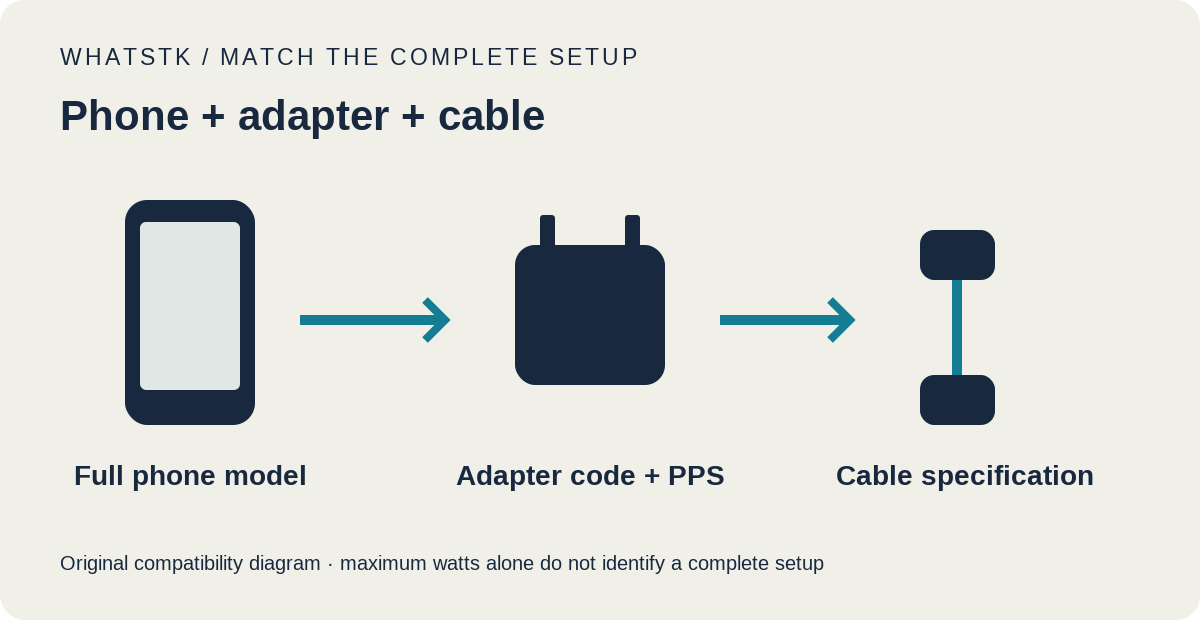
For a Galaxy S25, start with the phone's charging setup
Samsung's S25 family specification table pairs the base Galaxy S25 with a 25W charging setup, and S25+ and S25 Ultra with 45W setups. Do not treat every phone with S25 in its name as the same charging target. Record the full name from the device information page before choosing an adapter. This guide concerns those named models; an FE, Edge or another Galaxy generation needs its own compatibility check. Buying a larger number on a charger does not change the phone's supported charging system.
EP-T2510 and EP-T4510 are not the complete order references
The table compares two full regional references, not every package carrying the 25W or 45W family name. The EP-T2510NBEGWW listing supplies the charger and leaflet; the EP-T4510XBEGWW listing also includes a 1.8m USB-C-to-USB-C 5A cable. Compare the set you will actually receive. Record the plug format, regional suffix, warranty terms and whether the cable is included. A lower adapter-only price can be a poor comparison if you still need to buy the appropriate cable separately.
Why the 3A or 5A answer depends on the adapter
The EP-T4510 bundle here includes a 5A cable. Keep that pairing in your comparison rather than replacing it with an unknown cable just because both ends fit. Samsung's newer EP-T4511 support entry separately allows the included 3A device cable for compatible Galaxy S25-generation and later models. That entry does not turn a base S25 into a 45W phone or establish the same result for every older 45W adapter. Check the adapter code as well as the cable rating; 45W alone is not a complete compatibility statement.
Look for PPS, not only a large wattage on the box
Samsung's support guidance says Super fast charging depends on USB PD PPS support, not just maximum output. When comparing another charger, ask for its full model reference and output label, including the PPS ranges. Do not copy a fixed-output power figure into the PPS field. For a multiport alternative, also ask which port supplies the relevant mode and what changes when another device is connected. A laptop-class headline wattage is not evidence that your phone will negotiate the charging mode you want.
Use the actual output label when listings disagree
The EP-T2510 regional product page notes a production-date change to the stated minimum PPS voltage and directs buyers to the markings on the purchased adapter. This is a useful reason to request a clear label photograph rather than assuming every listing has the same revision. Keep the reference, voltage/current lines and included cable in one comparison note. A difference in a copied specification is a question to resolve with the seller and the relevant product documentation; the label alone does not authenticate the item.
Check the charging setting before replacing working equipment
On supported Galaxy software, Samsung lists Settings, Battery, Charging settings, then Fast charging. Menus can vary with device and software. Confirm that setting and a fully seated cable before deciding you need another adapter. If you are comparing two known compatible setups, keep the phone, battery level and usage conditions as consistent as practical. Change one component at a time so you know whether the difference follows the adapter, cable or connection.
Do not turn maximum watts into a promised finish time
Samsung notes that charging power varies with battery level and can reduce with heat or device use. Compare a complete setup and your own charging routine rather than calculating a finishing time from 25 and 45 alone. A short top-up and charging to full are different questions. Write down whether you need an extra adapter for a desk, a complete travel set or a replacement for a missing cable. That decision often matters more than picking the largest number available.
Your comparison checklist
- Record the full phone model: S25, S25+ or S25 Ultra.
- Record the full adapter suffix and plug type, not just 25W or 45W.
- Read the PPS output lines and the stated cable requirement together.
- Check whether the price includes the cable you need.
- Keep EP-T4510 and newer EP-T4511 compatibility notes separate.
- Check Fast charging settings and the cable connection before replacing equipment.
Make a complete Galaxy charging checklist → · Read USB-C cable specifications →
Product references
- Samsung South Africa: EP-T2510NBEGWW package and specifications ↗
- Samsung Africa: EP-T4510XBEGWW package and specifications ↗
- Samsung US Newsroom: Galaxy S25 family charging specifications ↗
- Samsung Singapore: charging modes, EP-T4511 cable notes and settings ↗
Product information checked 16 October 2026. Exact reference pages control specifications; options may change.